
Statistics has a reputation for being intimidating—but standard error doesn’t have to be. If you’ve ever looked at a dataset and wondered how reliable the average really is, you’re already thinking in the right direction. Learning how to calculate standard error helps you understand how much a sample mean might vary if you repeated the study again and again.
In this guide, we’ll break everything down in plain English. You’ll learn what standard error is, how it differs from standard deviation, how to calculate standard error of the mean by hand, and how to do it easily in Excel and Google Sheets. No unnecessary jargon. Just clarity.
What Is Standard Error?
Standard error (often written as SE) measures how much a sample mean is expected to fluctuate compared to the true population mean.
In simpler terms:
-
Standard deviation tells you how spread out individual data points are.
-
Standard error tells you how precise your sample mean is.
The smaller the standard error, the more confident you can be that your sample mean reflects the population.
Why Standard Error Matters
Understanding standard error is essential in statistics, research, and data analysis because it helps you:
-
Judge the reliability of a sample mean
-
Compare results across different studies
-
Build confidence intervals
-
Interpret hypothesis tests correctly
If you’re working with surveys, experiments, or performance metrics, standard error gives context to your results instead of just raw averages.
How to Calculate Standard Error of the Mean
Let’s start with the core formula before moving into Excel and Google Sheets.
The Standard Error Formula
Standard Error (SE)=Standard Deviation (SD)n\text{Standard Error (SE)} = \frac{\text{Standard Deviation (SD)}}{\sqrt{n}}
Where:
-
SD = standard deviation of the sample
-
n = sample size
That’s it. One formula, three components.
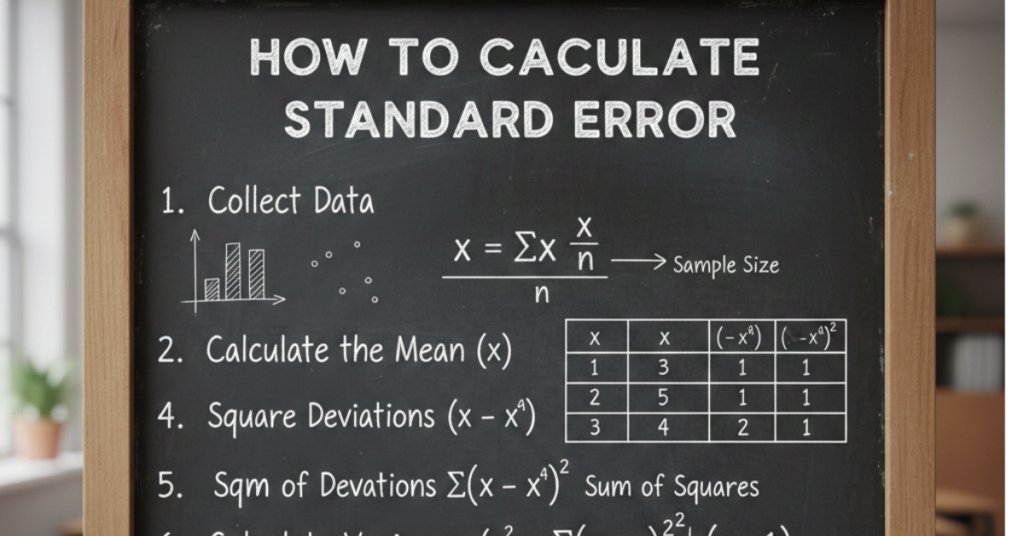
Step-by-Step: Calculating Standard Error Manually
Here’s how to calculate standard error of the mean by hand:
-
Calculate the mean of your data
-
Find the standard deviation
-
Count the sample size (n)
-
Take the square root of n
-
Divide the standard deviation by √n
Example
If your dataset has:
-
Standard deviation = 10
-
Sample size = 25
SE=1025=105=2SE = \frac{10}{\sqrt{25}} = \frac{10}{5} = 2
Your standard error is 2.
How to Calculate Standard Error in Excel
Excel makes this process much faster, especially for large datasets.
Step-by-Step in Excel
-
Enter your data into a column
-
Use this formula:
Example
If your data is in cells A1:A20:
This calculates the standard error using the sample standard deviation.
Tip: Use STDEV.P instead of STDEV.S only if you’re working with the entire population.
How to Calculate Standard Error on Excel (Quick Method)
If you already know the standard deviation and sample size:
This is useful when working with summary statistics instead of raw data.
How to Calculate Standard Error in Google Sheets
Google Sheets uses nearly the same formulas as Excel.
Formula for Google Sheets
Example:
It works instantly and updates automatically if your data changes.
FAQs About Standard Error
What is the standard error of the mean?
The standard error of the mean estimates how far the sample mean is likely to be from the true population mean.
How do you calculate standard error quickly?
Divide the sample standard deviation by the square root of the sample size.
How to calculate standard error in Excel?
Use:
How to calculate standard error in Google Sheets?
Use the same formula as Excel:
Is standard error the same as margin of error?
No. Margin of error uses standard error but also includes a confidence level (like 95%).
Conclusion: Bringing It All Together
Once you understand the logic behind it, learning how to calculate standard error is refreshingly straightforward. Whether you’re doing it by hand, in Excel, or in Google Sheets, the goal is the same—understanding how reliable your sample mean really is.
If you’re working with data regularly, this is one statistical tool worth mastering. Next steps? Explore confidence intervals, hypothesis testing, or data visualization techniques to build on what you’ve learned here.